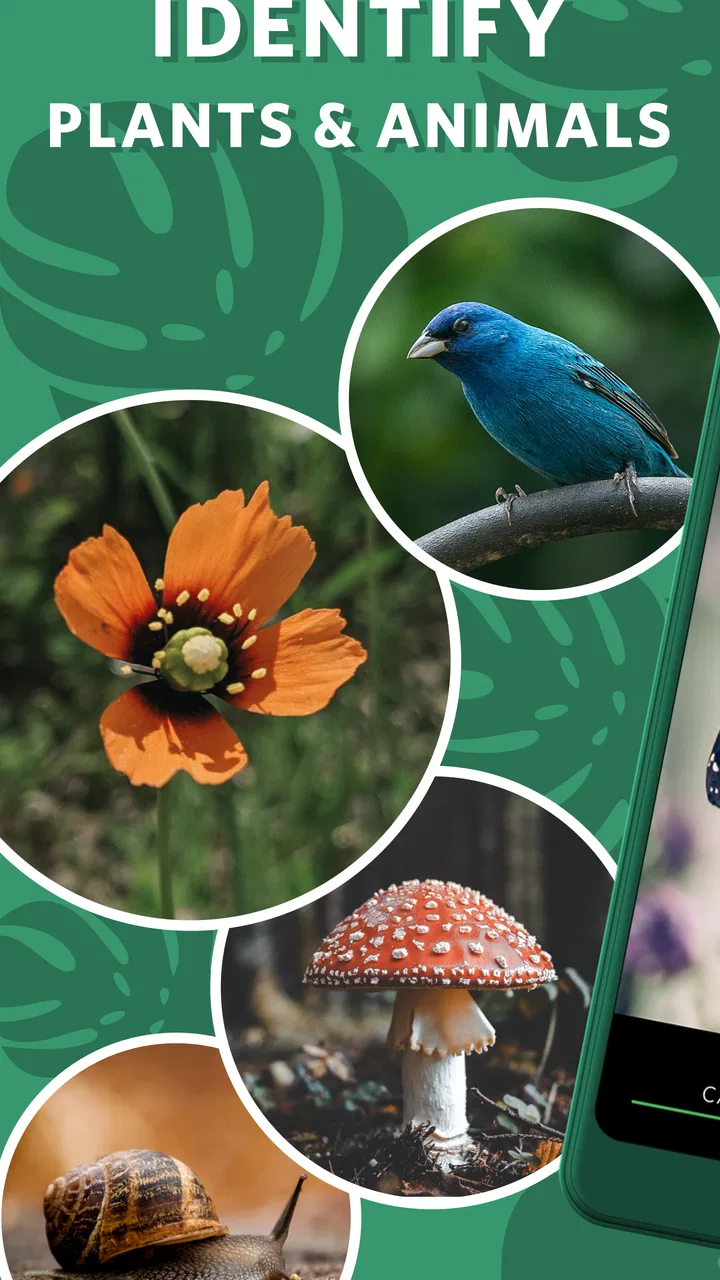
Seek by iNaturalist
- 3.3
- Rating
- 1.00M
- Installs
- Free
- Price

 Analysis by App-foxy
When I use Seek by iNaturalist, I treat it less like a formal field guide and more like a quick companion for outdoor curiosity. I point the phone at a plant, animal, fungus, or other living thing, and the app helps turn an ordinary walk into a small identification exercise. That makes it especially appealing for families, students, hikers, gardeners, and anyone who wants to notice more of the world without carrying a thick reference book.
The app comes from iNaturalist and belongs to the education category, although it feels more playful than a traditional learning tool. Its central purpose is straightforward: help identify plants and animals. The experience is free, rated for Everyone, and available for devices running Android 7.0 or later. I think that combination makes it easy to recommend as a low-risk first step for people who are curious about nature but do not yet know which specialist app or guide they need.
My overall impression is positive, with one important qualification: I would use Seek to form a useful first impression, not to make a final scientific decision in every situation. The app is most enjoyable when I use it outdoors, in good light, with enough time to look carefully at what is in front of me. It is less convincing when I expect an instant answer from a blurry image, a distant subject, or a difficult species that needs expert comparison.
You May Also Like

 Blood Strike: 2.5 Anniversary
Blood Strike’s Loadouts Turn Every Drop Into a Tactical Gamble
A close look at Blood Strike’s custom loadouts: how fast access to signature weapons reshapes its battle royale rhythm, rewards preparation, and narrows the gap between fights.

 Pandora - Music & Podcasts
Pandora’s Music Is Easy to Start, but Harder to Recover
Pandora’s strength is its low-effort path from a seed to a station. Its weak spot is how much confidence it asks you to place in connection, setup, and quiet recovery.

 8 Ball Pool
 Is Built on Rivalries, Rematches, and Routine
A close look at the rivalries, rematches, shared routines, and unanswered safety questions that turn a quick pool match into a persistent mobile community.

 Samsung Music
’s Quiet Strength Is Playing What You Already Own
Its reach comes less from spectacle than from dependable access to a personal library. That simplicity is both the app’s strongest retention engine and its ceiling.

 AccuWeather: Weather Radar
AccuWeather Review: A Quick, Clear Forecast for Everyday Decisions
For everyday plans, the best forecast is the one you can understand quickly. AccuWeather makes rain timing, radar, and local conditions easy to act on, with a few trade-offs.

 Hill Climb Racing
Why Hill Climb Racing Still Turns Crashes Into One More Run
A tiny car, a bumpy hill and one more upgrade: Hill Climb Racing keeps resurfacing because its simple chaos makes every near-miss feel personal.
More From Our News Desk



How Seek feels during real outdoor use
I find Seek most useful when I let an outing set the pace rather than turning every encounter into a task. A quiet pause to watch how a leaf is arranged or where an insect settles can tell me what to inspect next, even before I open the camera. That practical rhythm also makes it easier to judge when a quick identification is enough and when a more careful check is worth the effort.
Quick answers are useful, but the surroundings still matter
The first thing I notice is that the app’s value depends on how quickly I can move from opening it to observing something. On a casual walk, I do not want a long research session before checking a leaf or insect. Seek fits that moment well because it is built around looking at the subject directly rather than typing a complicated search phrase. That makes it more natural for children and for adults who cannot name what they have found.
Perceived speed is not only about the app responding quickly. It is also about whether the identification process feels understandable. I prefer taking a moment to frame the subject clearly instead of waving the phone around and accepting the first result. A steady view, visible features, and a reasonable distance give the app a better chance to be helpful. In practice, that small pause improves the experience more than rushing through several poor scans.
There is a useful distinction between recognizing a broad group and identifying an exact species. A plant may be easy to recognize as a familiar type while its precise species remains harder to separate from similar varieties. I see that as a healthy learning opportunity rather than a failure. Seek encourages me to inspect shape, color, texture, and habitat instead of assuming that every result is equally certain.
The best speed improvement is better observation, not faster tapping. I keep the subject centered, avoid photographing a cluttered background when possible, and check whether the result makes sense in the place where I found it. This workflow is particularly helpful with small insects, where a few seconds spent following the subject can produce a much more useful view than repeatedly scanning empty ground.
What happens when a walk becomes a long identification session
Seek is easy to enjoy for a few discoveries, but heavier use changes the demands on the phone and on the person using it. A long nature walk can involve repeated camera use, bright outdoor light, movement, and frequent stops. Those conditions naturally make any mobile identification tool feel less effortless than it does in a quiet room.
During a busy outing, I would avoid treating every plant as a separate task. Instead, I choose a handful of interesting subjects and examine them properly. This saves battery, reduces frustration, and makes the walk feel like exploration rather than a queue of scans. It also gives me time to compare similar-looking examples instead of collecting quick guesses that I will not remember later.
Heavy use can expose practical friction. A phone may warm up during extended camera activity, and outdoor brightness can make the screen harder to read. I would not describe those issues as unique to Seek, but they affect how comfortable the app feels in the field. A device with a tired battery or a dim display will make the experience feel slower even when the application itself is behaving normally.
I also find that the app works best when I decide what I want to learn before opening it. For example, on a garden visit I might focus on pollinators, while on a woodland walk I might concentrate on trees and fungi. That simple goal prevents the interface from becoming a distraction and turns repeated identification into a personal lesson. The app is more rewarding when I use it to build recognition skills rather than merely collect labels.
Stability matters more than a perfect result
For an outdoor tool, reliability means more than producing an impressive identification. It also means opening when I need it, responding consistently, and letting me recover gracefully when a scan is poor. My confidence in Seek comes from using it as an aid to observation, with the understanding that nature is messy and mobile cameras have limits.
A failed attempt does not have to end the session. I can move closer, change the angle, wait for an insect to settle, or choose a clearer part of a plant. That recovery process is one of the app’s practical strengths because it teaches me what information matters. A leaf viewed against a busy background may be unhelpful, while a closer view of its edge, arrangement, or surface can produce a more meaningful result.
When the answer seems surprising, I do not immediately blame the app or the subject. I check the surroundings and look for more than one visible clue. Is the plant growing where I would expect it? Does the animal’s body shape match the suggestion? Is the apparent color caused by shade? This habit makes Seek more reliable in my hands, even though it cannot remove uncertainty from difficult observations.
That is also why I would not use a casual identification as the basis for a safety decision. I would never eat a wild mushroom, handle an unfamiliar animal, or apply a plant remedy simply because a phone suggested a name. Seek is an educational companion, not a substitute for specialist knowledge when the consequences of being wrong are serious.
Older phones and minimum requirements
The stated minimum operating system is Android 7.0, so the app is accessible to people who are not using the newest phone. That is helpful for families sharing an older handset or students working with a modest device. Still, operating-system compatibility does not guarantee the same comfort on every phone. Camera quality, storage condition, screen brightness, battery health, and general responsiveness all influence field use.
On a weaker device, I would keep expectations realistic. Opening the camera, switching between views, or processing an observation may feel less immediate than it would on a newer phone. I would also avoid running many demanding apps at the same time during a long walk. Closing unrelated tasks before heading outside is a simple way to reduce interruptions without changing how Seek itself works.
Resource demands are most noticeable when the app is used repeatedly with the camera. If I know I will be outdoors for hours, I start with a well-charged phone and carry a practical backup plan, such as a small notebook for names or sketches. That is not because the app is unusable without constant power; it is because nature walks often last longer than expected, and the phone may also be needed for navigation or emergencies.
People with limited data access should plan their outing thoughtfully. I would not assume that every part of a remote trail will offer the same connectivity as home. Before relying on any identification workflow far from a signal, I would test it in the conditions I expect to encounter and keep a conventional field guide or local knowledge as a backup. The important point is to avoid making the app the only source of information in an unfamiliar environment.
A realistic family and study scenario
Imagine a parent taking two children to a local park. One child notices a bright flower, another sees a beetle, and the walk quickly becomes a series of questions. Instead of answering every question from memory, the parent can use Seek to make each discovery a small investigation. The children can look closely, talk about visible features, and compare the result with what they observe around them.
The strongest part of that scenario is not the label itself. It is the conversation that follows. Why is the insect near that plant? Why does one leaf look different from another? Does the same kind of tree appear elsewhere in the park? Seek gives the group a reason to slow down, which is often more educational than scrolling through a long article.
For a student, I would use the app as a starting point for a field journal. After identifying an organism, I would record the date in my own notes, describe the habitat, and sketch a distinguishing feature. I would not simply copy the result and move on. That extra step helps separate genuine learning from temporary recognition and makes it easier to notice patterns over several walks.
Where it beats ordinary alternatives
Compared with carrying a printed guide, Seek is lighter and more approachable for beginners. A book can be more dependable when I already know the broad group I am studying, and it remains useful when the phone battery is low. However, a book often assumes that I can describe the specimen or navigate a large number of similar illustrations. Seek lowers that entry barrier by letting the camera become part of the question.
Compared with a general web search, the app feels better suited to a quick outdoor moment. Searching for “small green insect with long legs” can produce a confusing collection of images and unrelated pages. Seek gives the observation a more focused starting point. The trade-off is that a web search may offer deeper explanations once I know the likely name, while the app is not a complete replacement for detailed reading.
Compared with asking an enthusiast or specialist, Seek is immediate and private, but it lacks the judgment that an experienced person can bring to an unusual observation. A human may notice a regional clue, seasonal detail, or subtle feature that a casual scan misses. For difficult species, I would combine the app with a local guide, a serious field manual, or an expert community rather than choosing only one source.
That comparison makes the app’s ideal role clear. It is a bridge between not knowing where to start and becoming interested enough to investigate properly. It is not the strongest choice for professional surveying, formal records, or high-stakes identification. Those tasks need controlled methods, careful documentation, and often more than one form of verification.
Small habits that make the experience better
I frame the subject with enough detail to show its distinctive features, especially when the background is visually busy.
I take a second look at unexpected results instead of treating the first suggestion as final.
I use the app to compare repeated examples, such as several leaves or insects, rather than scanning only one isolated specimen.
I keep notes separately when an observation matters, because a memorable identification is not the same thing as a complete field record.
I avoid disturbing wildlife for a better image. A useful observation is never worth chasing or handling an animal.
These habits reveal a less obvious strength: Seek can improve attention even when it does not produce a perfect answer. The process encourages me to notice structure and context. Over time, I begin to recognize familiar plants and animals before reaching for the phone, which is a better sign of learning than simply becoming faster at scanning.
Who should use it, and who should skip it
I would recommend Seek to curious beginners, parents looking for a screen activity that leads children outdoors, teachers planning informal nature lessons, and travelers who want a simple way to investigate local life. Gardeners may also enjoy it when they encounter an unfamiliar volunteer plant or insect. The free price removes an important barrier, especially for someone who only wants to test whether nature identification is a lasting interest.
I would be more cautious about recommending it to a specialist who already owns detailed identification resources and needs precise, defensible results. A professional botanist, ecologist, or serious naturalist may find the app useful as a first pass, but not sufficient as the main tool for demanding work. Someone who dislikes camera-based exploration or prefers offline books may also find the experience less satisfying.
The age rating of Everyone makes the app appropriate for broad household use, but younger children will still benefit from adult guidance. They may accept a result too confidently or move close to wildlife without understanding the risks. Used together, the app can support good habits: observe without touching, leave habitats undisturbed, and treat identification as a question that may need further checking.
Version, reach, and everyday value
The current version is 2.18.0, and the app has reached over a million installs. Its average rating is around 3.3 from roughly ten thousand ratings, with about one and a half thousand written reviews. I read those figures as a sign of broad interest mixed with varied experiences, which matches my own view: the concept is immediately appealing, but the quality of a session depends heavily on the subject, the image, the phone, and the user’s expectations.
Those numbers do not change the practical advice I would give a friend. Install it because you enjoy asking “what is that?” outdoors, not because you expect every scan to act like a laboratory result. If you approach it as an educational tool, its occasional uncertainty becomes manageable. If you expect guaranteed precision, the same uncertainty will probably feel like a serious flaw.
For me, the most convincing use is a repeatable routine: choose a place, observe a few organisms carefully, use Seek to get initial direction, and then write down what I learned in my own words. That approach keeps the phone from taking over the walk while still making the app useful. It also creates a path from casual curiosity to deeper study without requiring a paid subscription or specialist equipment.
My performance verdict
Seek feels fastest and most dependable when I use it for clear, nearby subjects in good viewing conditions. It becomes less comfortable during long camera-heavy outings, on older or tired devices, and whenever the organism is visually complex or poorly framed. Those are important limitations, but they are manageable if I plan for them and understand what the app is designed to do.
I recommend Seek as a friendly first layer of nature education, not as the final authority on every living thing. Its strongest contribution is the way it turns a walk, garden visit, or family outing into active observation. The app is free, accessible on older Android versions, and simple enough for beginners, while still offering a useful starting point for more serious learning.
After using it, I would keep it on my phone if I regularly spend time outdoors. I would pair it with careful observation, personal notes, and a trusted reference whenever accuracy matters. For a person who wants instant certainty, another option may be better; for someone who wants a gentle push to look closer at the natural world, Seek by iNaturalist is an easy app to try and a surprisingly effective way to make familiar places feel new.
FAQs for Seek by iNaturalist
01What is Seek by iNaturalist and how does it work?
Seek by iNaturalist is a mobile app designed to help users identify plants and animals in their environment using image recognition technology. By taking a photo or uploading an image, the app provides instant identification of species, offering detailed information about them. It's a great tool for nature enthusiasts and learners who want to explore biodiversity around them.
02Is Seek by iNaturalist suitable for children and beginners?
Yes, Seek by iNaturalist is designed to be user-friendly and is suitable for all ages, including children and beginners. Its intuitive interface and engaging features make it an excellent educational tool for young nature lovers, providing a safe platform to explore and learn about wildlife without requiring an account or internet connection.
03Does Seek by iNaturalist require an internet connection to function?
Seek by iNaturalist can function without an internet connection for basic identification, as it uses offline data to recognize common species. However, to access the full features, such as detailed species descriptions and community interaction, an internet connection is recommended. This allows users to get the most accurate and comprehensive information possible.
04Are there any costs associated with using Seek by iNaturalist?
Seek by iNaturalist is completely free to download and use. There are no hidden fees or in-app purchases. It offers an ad-free experience, making it an accessible tool for anyone interested in learning more about the natural world. This allows users to enjoy all its educational benefits without financial barriers.
05How does Seek by iNaturalist ensure user privacy and data security?
Seek by iNaturalist prioritizes user privacy by not requiring account creation or personal data for most of its features. The app doesn’t store user photos or location data unless explicitly shared by the user. This ensures a secure experience, allowing users to explore nature while maintaining their privacy.
Pros
- Easy-to-use interface for beginners.
- Accurate identification using AI technology.
- Offline mode for remote areas.
- Encourages outdoor exploration and learning.
- No account required for basic use.
Cons
- Limited species database in some regions.
- Occasional misidentification errors.
- Requires camera access for full functionality.
- No social features for sharing discoveries.
- High battery consumption during use.

Seek by iNaturalist
Gallery